
Mar 15
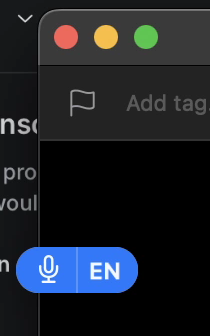
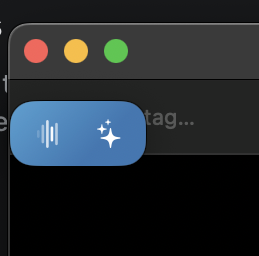
Minimal small recording indicator next to cursor
Like the native macOS dictation and other apps like MacWhisper.
The big SuperWhisper window is a bit disruptive. I'd like to just trust the results and stay focused on the application that I'm currently typing in.
When disabling the large Superwhisper window I lack feedback that something is recording and happening. I do see the orange microphone indicator in the menu bar but this is very far from the context that I'm at with my cursor.
Would be great to show a small recording indicator next to my cursor.
See attached screenshots.
Pending
Update from macOS (Superwhisper 2.19.0, macOS 15): a mini window pill now exists and seems to cover this request. But it stays on screen permanently, and after each dictation a text bubble with the transcription pops up above it. I can't find any setting to hide either of them ("Always close" doesn't remove the bubble, and the pill's right-click menu has only Expand window / Open Settings / Open History). It would be great to have an option for a truly minimal mode: e.g. show the indicator only while recording, and let users turn off the transcription bubble and rely on audio cues.